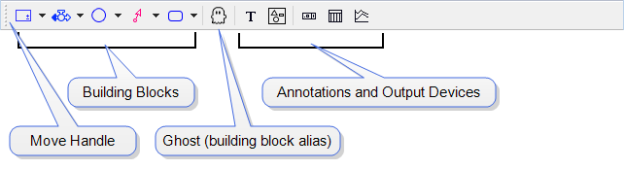
Stella Professional provides these toolbars. They're relocatable; by default, the Build and Mode toolbars are located just below the menu bar and the Run toolbar is at the bottom.
The Build Toolbar contains the tools used to build models. For more information, see Build Toolbar.
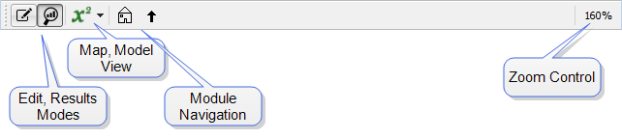
The Mode toolbar lets you switch between Edit and Result modes, as well as between Map and Model views. It also lets you navigate between Modules, and zoom in and out. For more information, see Mode Toolbar.

The Run Toolbar lets you control the simulation and do many of the tasks available through the Model menu. For more information, see Run Toolbar.
All toolbars are movable and can be docked on any side of the window. By default, the Build and Mode toolbars are at the top, and the Run toolbar is at the bottom.
If you grab the handle at the left end of a toolbar, you can put the toolbar in a new location. You can either dock it along one of the other edges, or leave it floating.
 See Also